What Is On-Page SEO? Definition, Checklist, and Best Practices
By OnPageSEO.ai Team
Why do some websites dominate search results while others barely get noticed? The answer almost always starts on the page itself, not in a backlink profile. On-page SEO is the practice of optimizing every element you control directly on your own pages so that search engines can understand what you cover and rank you accordingly.
Most sites that struggle to rank are not being penalized. They are simply invisible because nothing on the page gives Google a clear, consistent signal about the topic.
The stakes are significant. According to Backlinko, the top organic result earns an average click-through rate of 27.6%, while position ten earns under 3%. Meanwhile, Statista reports that over 60% of global web traffic now comes from mobile devices. Getting on-page SEO right determines whether that traffic ever finds you.
This guide covers what on-page SEO actually includes, which elements matter most, and how to apply them in a way that holds up as search engines evolve.
What On-Page SEO Actually Covers
On-page SEO refers to every optimization made directly on your webpage. That includes your title tag, meta description, headings, body copy, images, internal links, URL structure, and page speed. It does not include backlinks, domain authority, or anything that lives on another site.
This distinction matters because it defines what you can act on today. Unlike off-page SEO, which depends on what other websites do, on-page work is entirely within your control. A common SEO myth is that backlinks alone determine rankings. In reality, Google cannot reward a page that has not clearly communicated what it is about. On-page signals come first. We cover why in our guide on why onsite optimization should come before backlinks.
The Core On-Page SEO Elements
Title Tag
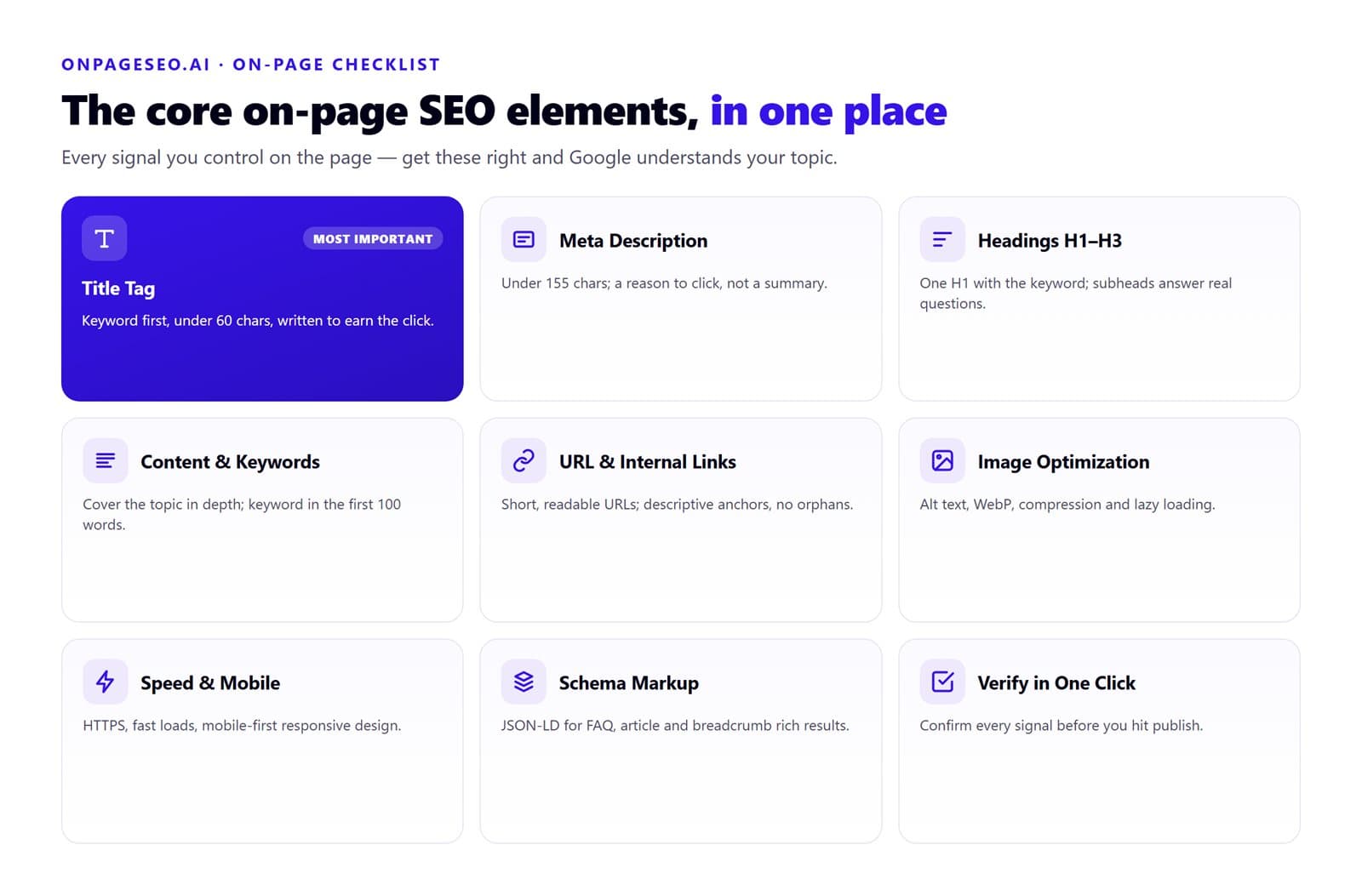
The title tag is the single most important on-page signal. It tells Google and the reader what the page is about before they visit. Keep it under 60 characters, lead with your primary keyword, and write it to earn a click, not just to satisfy a crawler.
One pattern that consistently hurts performance: leading every title with a brand name. That pushes the keyword to the right, reducing its weight as a relevance signal. Put the keyword first. Add the brand name at the end only if space allows.
Meta Description
The meta description does not directly influence rankings, but it directly influences click-through rate. Google often rewrites it, but a well-written description gives the algorithm something useful to pull from. Keep it under 155 characters, include your primary keyword naturally, and write it as a reason to click rather than a summary of the page.
Headings (H1 to H3)
Your H1 should contain your primary keyword and appear exactly once. H2 and H3 subheadings should answer specific questions a reader might have, not just label sections with vague phrases like "Our Approach" or "Overview."
A practical test: read your subheadings in sequence without the body copy. If they form a logical outline of the topic, the structure is working. If they read like disconnected labels, rewrite them.
Content Quality and Keyword Placement
Content is where most on-page SEO wins and losses happen. Your primary keyword should appear in the first 100 words, at least one subheading, and several natural instances across the body. Secondary keywords belong wherever they fit without forcing.
What Google increasingly evaluates is whether a page genuinely covers a topic or just mentions a keyword. Thin content, shallow treatment of subtopics, and writing that reads like it was structured around a keyword list rather than a reader's actual questions all signal low quality. For a practical framework on what separates useful content from filler, see our guide on what makes content high quality.
URL Structure
A clean URL helps both Google and readers understand what a page covers before they visit it. Keep URLs short, use hyphens to separate words, avoid unnecessary parameters or numbers, and include your primary keyword where it fits naturally.
| Good URL | Bad URL |
|---|---|
| /on-page-seo-guide | /p=1234&ref=abc |
| /keyword-research-tools-free | /blog?id=567 |
| /on-page-seo-checklist | /category/page-name_1 |
Internal Links
Internal links help Google understand the relationship between your pages and distribute authority across your site. Every page you publish should link to at least one relevant existing page and receive at least one link from elsewhere on the site. Orphaned pages with no internal links pointing to them are pages Google may rarely revisit.
Use descriptive anchor text that tells the reader what they are clicking to, not generic phrases like "click here" or "read more."
Image Optimization
Every image needs an alt text attribute that describes what the image shows. This gives Google a text signal in a part of the page that would otherwise be invisible to crawlers, and it improves accessibility for screen reader users. Keep alt text specific. If your primary keyword fits naturally, include it once.
Beyond alt text, compress images before uploading, use modern formats like WebP where possible, and enable lazy loading so images below the fold do not delay initial page load.
Page Speed and Mobile Optimization
Page speed is a confirmed ranking factor and a direct driver of user experience. Slow pages lose visitors before they engage with the content. Core improvements include compressing images, minifying CSS and JavaScript, enabling browser caching, and using a content delivery network for globally distributed traffic.
One technical element beginners often overlook: https and seo are directly connected. If your site still runs on HTTP, browsers flag it as insecure and Google treats it as a weaker signal than an encrypted equivalent. Switching to HTTPS via a free SSL certificate is one of the fastest ways to improve google rank on a site that otherwise has solid on-page work done.
Mobile optimization is no longer optional. Google indexes the mobile version of your site first. A responsive design that adjusts to any screen size, readable font sizes without zooming, and tap-friendly navigation are baseline requirements, not enhancements.
Schema Markup
Schema markup is structured data that helps Google display your content in richer ways: star ratings in product results, FAQ dropdowns, event details, breadcrumbs. It does not directly boost rankings, but it can significantly improve how your result looks in the SERP, which improves click-through rate.
The most useful schema types for most sites are FAQ schema, article schema, and breadcrumb schema. Use JSON-LD format, which Google prefers, and test your implementation with Google's Rich Results Test before publishing.
How OnPageSEO.ai Fits Into This Workflow
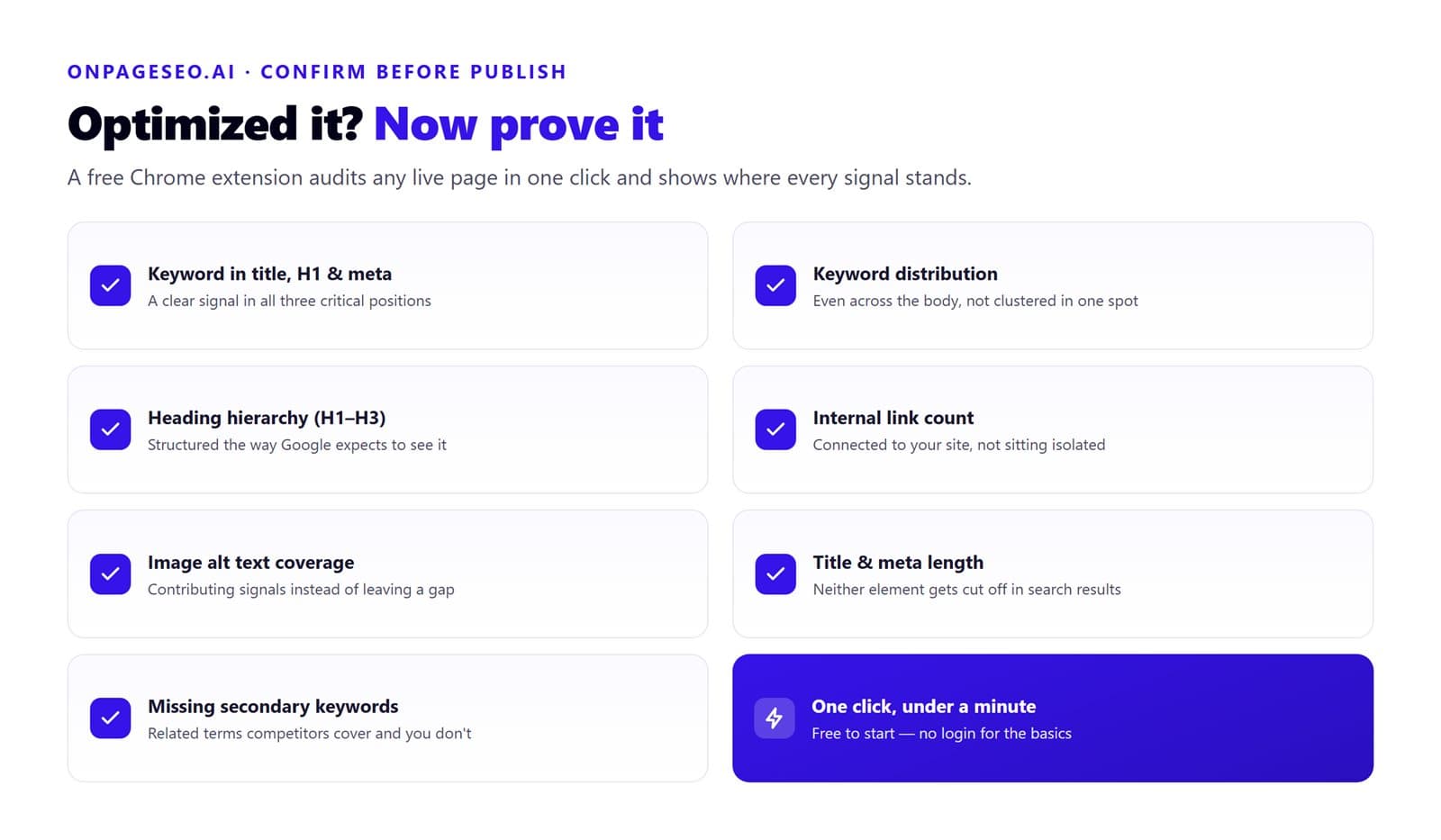
Knowing what to optimize is step one. Knowing whether you have optimized it correctly is where most beginners and even intermediate SEOs lose time. OnPageSEO.ai is a free Chrome extension that audits any live page in one click and surfaces exactly where your on-page signals stand.
| What it checks | What you learn |
|---|---|
| Keyword presence in title, H1, and meta description | Whether your primary keyword sends a clear signal in all three critical positions |
| Keyword distribution across the body | Whether placement is even or clustered in one section |
| Heading hierarchy (H1 to H3) | Whether your page structure matches what Google expects to see |
| Internal link count and placement | Whether your page is connected to the rest of your site or sitting isolated |
| Image alt text coverage | Whether images are contributing on-page signals or leaving a gap |
| Title and meta description length | Whether either element is being cut off in search results |
| Missing secondary keywords | Which related terms top-ranking competitors are covering that your page is not |
Install OnPageSEO.ai from the Chrome Web Store and run it on any page after you finish optimizing to confirm every element is in place before you publish.
On-Page SEO Best Practices Today
Search algorithms continue to evolve, but the direction of travel is consistent: Google rewards pages that genuinely serve the reader. That principle shapes every trend worth paying attention to.
- E-E-A-T (Experience, Expertise, Authority, Trustworthiness) has become a central quality framework. Pages that demonstrate first-hand expertise, cite credible sources, and present content authored by someone with relevant credentials tend to outperform generic content, even on competitive keywords.
- Voice search is shifting keyword patterns toward longer, more conversational queries. Structuring content with question-based subheadings and FAQ sections positions pages to match how people ask questions out loud, not just how they type.
- Core Web Vitals remain a live ranking signal. Largest Contentful Paint, Interaction to Next Paint, and Cumulative Layout Shift are the three metrics Google uses to evaluate page experience. Each has a specific technical fix. If your scores are poor, address them before adding more content.
- AI-generated content has raised the floor on what counts as useful. A page that covers the basics no longer competes with pages that go deeper, add original analysis, or present information in a more useful format. Natural seo, writing that serves the reader rather than gaming a crawler, is what holds up as algorithms get more sophisticated. The question for every page you publish is whether it does something the reader cannot find done as well elsewhere. For a practical framework on evaluating that, our guide on DIY vs professional content optimization walks through when depth and expertise require outside help and when they do not.
FAQ
What is the difference between on-page SEO and off-page SEO?
On-page SEO covers everything you optimize directly on your own pages: content, title tags, headings, internal links, images, and page speed. Off-page SEO covers external signals, primarily backlinks, that influence how much authority search engines attribute to your site.
What is on-page SEO vs technical SEO?
On-page SEO focuses on content and the elements readers interact with directly. Technical SEO covers backend factors like crawlability, indexation, site architecture, and structured data. Both matter, but on-page SEO is where most sites have the most immediate room to improve.
How long does it take for on-page changes to affect rankings?
Pages that already have Google visibility typically see movement within four to eight weeks of meaningful on-page improvements. New pages take longer because Google needs to crawl, index, and evaluate them against competing results before adjusting rankings.
Do I need paid tools to do on-page SEO?
No. Google Search Console, Google Keyword Planner, and OnPageSEO.ai's free Chrome extension cover the core workflow without a subscription. For the keyword research side, we put together a full guide on keyword research tools free options that give you enough signal to build a full content calendar. Paid tools become useful at scale, not at the beginner or small business stage.
Final Thoughts on On-Page SEO
On-page SEO is the foundation everything else in search is built on. Before backlinks, before domain authority, before any off-page signal matters, Google needs a page that clearly communicates its topic, matches the intent of the searcher, and delivers a good experience to the visitor.
Work through the elements in this guide one page at a time. Start with title tags and headings, then move to content depth, internal links, and images. Once you have made your changes, install OnPageSEO.ai to audit the page before publishing and confirm every on-page signal is working in your favor. It is free to start and takes less than a minute per page.