On Page SEO for Beginners: A Practical Starting Guide
By OnPageSEO.ai Team
Most on page SEO guides for beginners open with a definition and then immediately overwhelm you with a list of 30 ranking factors. We are skipping that approach. This guide covers what actually moves the needle for a new site, in the order you should tackle it, with nothing you need to pay for to get started.
The fastest way to improve google rank is not to chase backlinks or buy tools. It is to make sure your existing pages clearly tell Google what they are about.
According to Ahrefs, 96.55% of all pages get zero traffic from Google. The majority of those pages are not penalized or technically broken. They are simply invisible because nothing on the page gives Google a clear, consistent signal about the topic. On page SEO is how you fix that.
What On Page SEO Actually Covers
On page SEO refers to every element you control directly on your own page: the title tag, the meta description, the headings, the body copy, the images, the internal links, and the URL. It does not include backlinks, domain authority, or anything that lives on another website.
This distinction matters for beginners because it defines what you can act on today without waiting for external validation. A common seo myth is that backlinks are the only thing that matter. In reality, Google cannot reward a page with traffic if the page itself does not clearly match what a searcher is looking for. On page signals come first.
Start with One Page, Not Your Entire Site
The biggest mistake beginners make is trying to optimize everything at once. Pick one page, run the full process on it, and learn what each change does before scaling to the rest of the site.
Choose a page that already has some Google visibility but is not yet converting that visibility into clicks. In Google Search Console, filter by queries where impressions are high but click-through rate is below average. That gap is almost always a title tag or meta description problem, not a content problem. Fixing two lines of text is a faster path to results than rewriting an entire article.
The On Page SEO Elements That Matter Most
Title Tag
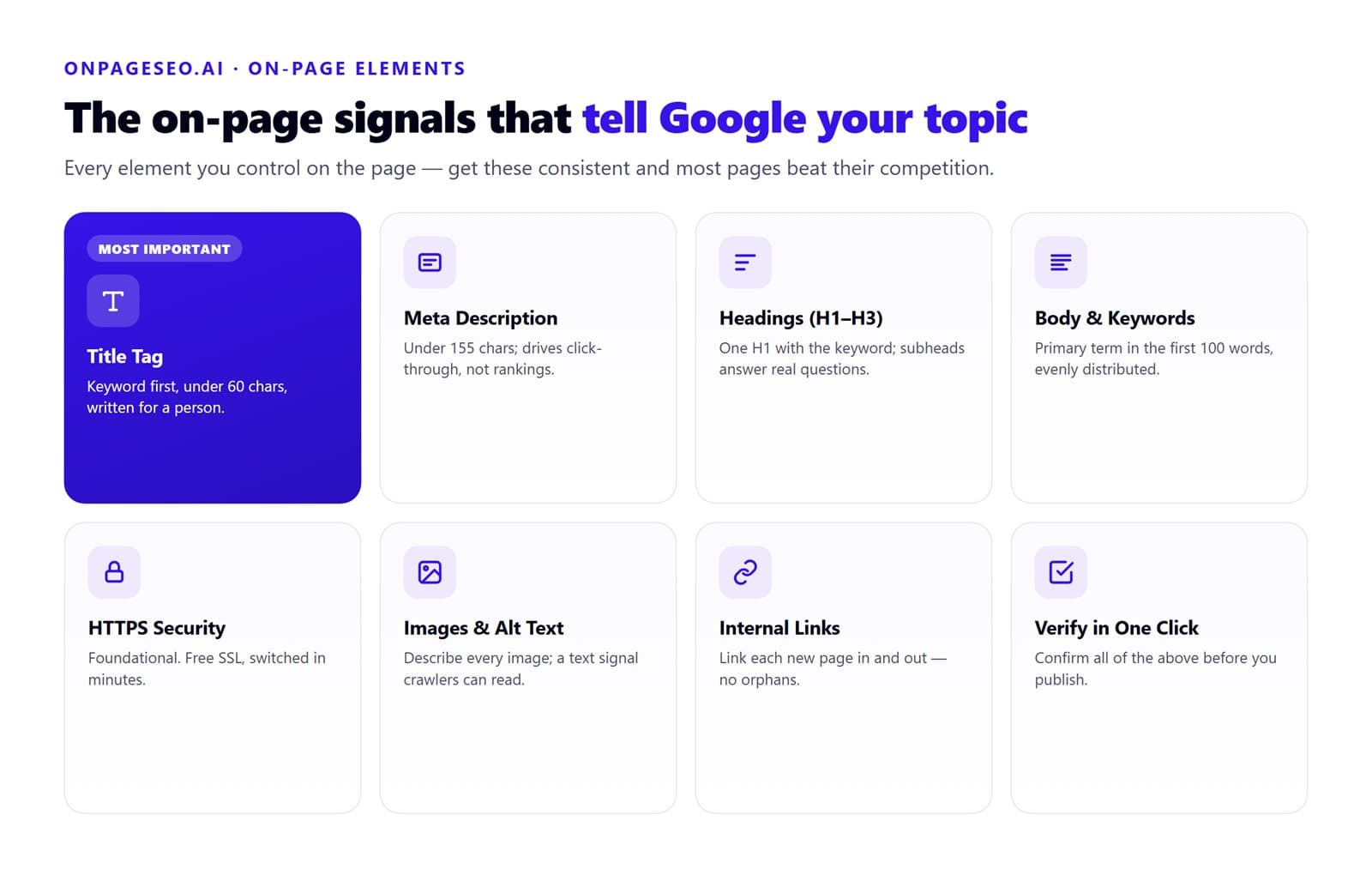
Your title tag is the single most important on page signal. It tells Google and the reader what the page is about before they visit it. Keep it under 60 characters, lead with your primary keyword, and write it for a person, not a crawler.
One pattern that trips up beginners: using your brand name at the front of every title. Brand name at the front pushes the keyword further right, which reduces its weight as a relevance signal. Put the keyword first and the brand name at the end if you include it at all.
Meta Description
The meta description does not directly affect rankings, but it directly affects click-through rate. Google often rewrites it anyway, but writing a clear, specific description gives Google something useful to pull from. Keep it under 155 characters and include your primary keyword naturally.
Headings (H1 to H3)
Your H1 should contain your primary keyword and appear once per page. Subheadings (H2 and H3) should be written to answer specific questions a reader might have, not just to break up text. Pages where every subheading is a vague label like "Our Approach" or "More Information" are harder for Google to parse topically.
A practical test: read your subheadings in sequence without the body copy. If they form a logical outline of the topic, your heading structure is working. If they read like a list of unrelated phrases, rewrite them.
Body Copy and Keyword Placement
Your primary keyword should appear in the first 100 words, at least one subheading, and several natural instances across the body. Secondary keywords belong wherever they fit without forcing. Even distribution signals that the entire page is about the topic, not just one paragraph.
Natural seo means writing for the reader first. Google's language understanding has improved significantly. Keyword stuffing no longer helps and often triggers quality filters.
HTTPS and Page Security
If your site is not on HTTPS, fix that before anything else. Browsers flag HTTP pages as insecure, which loses visitors before they read a word. Most hosting providers offer a free SSL certificate and the switch takes minutes. The relationship between https and seo is foundational, not optional.
Images and Alt Text
Every image on your page should have an alt text attribute that describes what the image shows. This serves two purposes: it helps visually impaired users understand your content, and it gives Google a text signal in a part of the page that would otherwise be invisible to crawlers. Keep alt text descriptive and specific. If your primary keyword fits naturally, include it once.
Internal Links
Internal links help Google understand the relationship between your pages and distribute authority across your site. Every new page you publish should link to at least one relevant existing page and receive at least one link from an existing page. Do not leave pages isolated with no internal links pointing to them. Google crawls sites through links. An orphaned page is a page Google may never revisit.
How OnPageSEO.ai Fits Into This Workflow
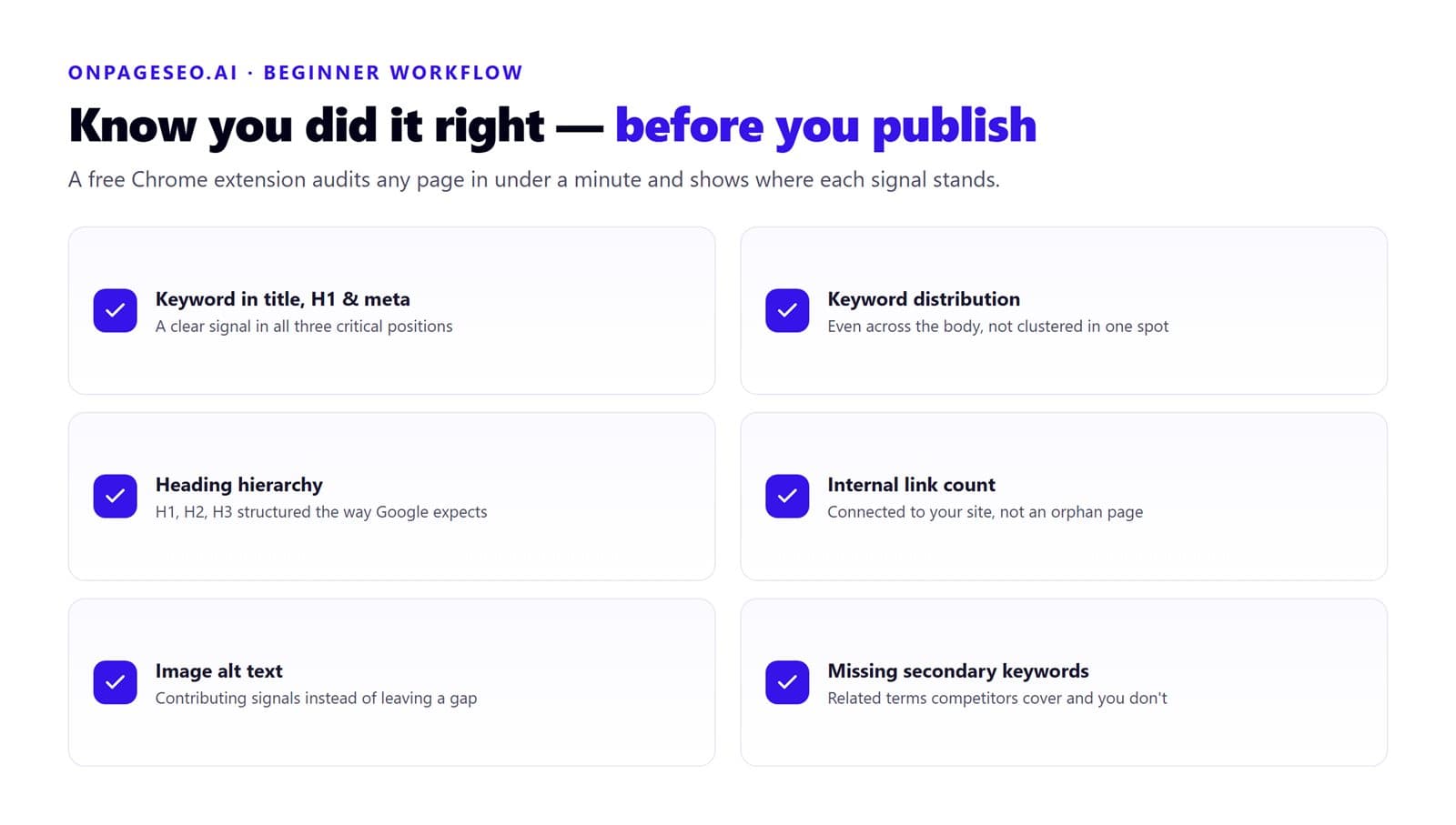
For beginners, the hardest part of on page SEO is not knowing what to do. It is knowing whether you have done it correctly. OnPageSEO.ai is a free Chrome extension that audits any page in your browser and shows you exactly where your on-page signals stand.
| What it checks | What you learn |
|---|---|
| Keyword presence in title, H1, and meta description | Whether your primary keyword is sending a clear signal in all three critical positions |
| Keyword distribution across the body | Whether your keyword appears evenly or clusters in one section |
| Heading hierarchy (H1, H2, H3) | Whether your page structure matches what Google expects to see |
| Internal link count and placement | Whether your page is connected to the rest of your site or sitting as an orphan |
| Image alt text | Whether your images are contributing on-page signals or leaving a gap |
| Missing secondary keywords | Which related terms your page is not covering that top-ranking competitors are |
Once you have finished optimizing a page using the process above, run it through OnPageSEO.ai to confirm every element is in place before publishing. It takes less than a minute and removes the guesswork that slows most beginners down.
The Order of Operations Matters
Beginners often ask whether to focus on on page SEO or backlinks first. The answer is always on page first. There is no point sending link equity to a page that has not told Google what it is about. Get the page right first, then build authority around it. We covered this in detail in our guide on why onsite optimization should come before backlinks.
For the keyword side, pairing on page optimization with keyword research tools free of charge gives you everything you need without a paid subscription.
FAQ
How long does on page SEO take to show results?
Pages with existing Google visibility typically see movement within four to eight weeks of targeted improvements. Brand new pages take longer since Google needs to crawl, index, and evaluate them against competing results first.
Do I need to hire someone to do on page SEO?
Not at the beginner stage. Everything covered here is editable in any standard CMS. For a comparison of when DIY is enough versus when professional help pays off, see our guide on DIY vs professional content optimization.
How many keywords should one page target?
One primary keyword and two to four secondary terms that share the same intent. If two keywords serve different user goals, build separate pages for each.
Final Thoughts on On Page SEO for Beginners
On page SEO for beginners comes down to one principle: give Google a clear, consistent, honest signal about what your page covers. Do that across your title, your headings, your body copy, your images, and your internal links, and you have done more than most pages ever do.
Work through one page at a time. Start with the pages that already have impressions but low click-through rate. Fix the title and meta description first, then work through the rest of the on-page checklist. Install OnPageSEO.ai to audit each page before you publish and catch the gaps that are easy to miss when you are close to the content.